A streaming amplifier that drives passive speakers directly. The WiiM Amp Ultra delivers 100 W per channel into 8 ohms or 200 W per channel into 4 ohms, with a 3.5 inch touchscreen, HDMI ARC, optical and line inputs, a subwoofer output and RoomFit room correction.
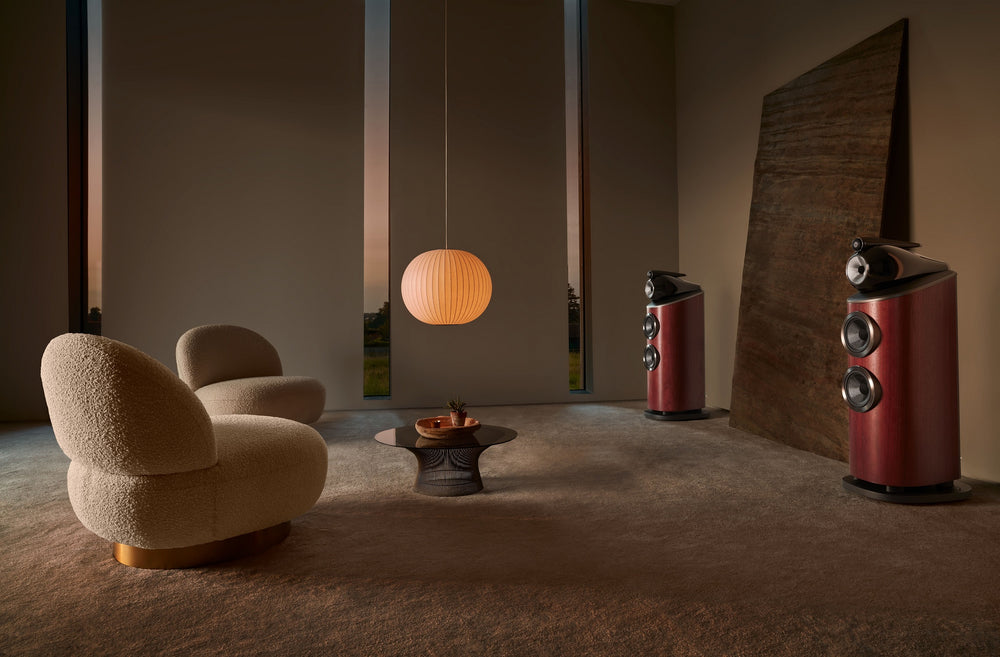
WiiM says the Amp Ultra is built to give bookshelf, tower, in-wall or outdoor passive speakers more power and control, and to bring TV, a turntable and streaming services into one hi-fi system. You control it from the touchscreen, the WiiM Home app or the supplied WiiM Voice Remote 2.
Why you will love it
Power for your passive speakers
The Amp Ultra uses two TI TPA3255 Class-D amplifiers with Post-Filter Feedback. WiiM rates it at 100 W per channel into 8 ohms and 200 W per channel into 4 ohms, and lists a speaker impedance range of 2 to 8 ohms.
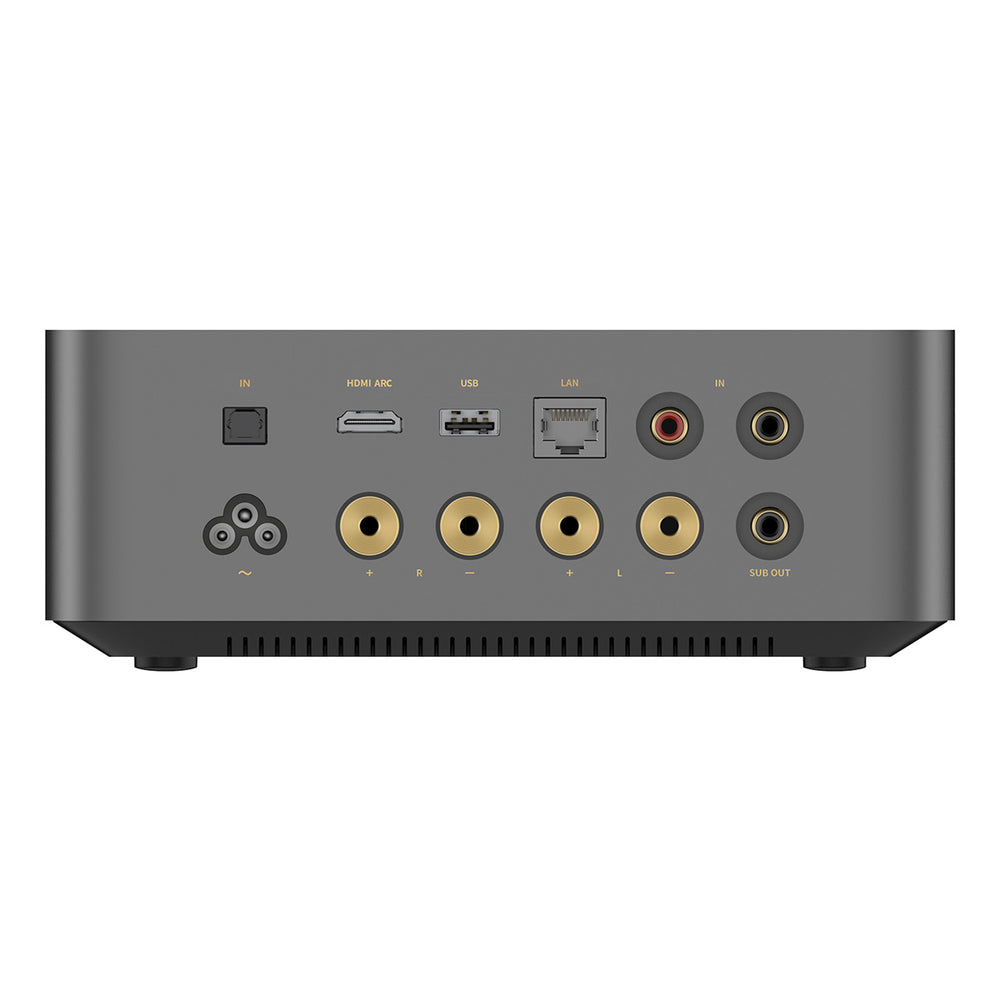
Speaker connections are gold-plated binding posts that take banana plugs or bare wire. Four banana plugs are in the box.

See what is playing
The 3.5 inch touchscreen shows album art and playback controls, and lets you switch inputs and outputs, adjust EQ and open smart presets. A rotary knob on the front handles volume and play/pause.
The chassis is machined from a single piece of aluminium. WiiM lists a copper heat pipe, a large aluminium heatsink and PID thermal control, with passive, silent cooling.
RoomFit and EQ
RoomFit room correction helps adapt playback to the acoustics of your room. You can also start from one of 24 EQ presets, use a 10-band graphic EQ or a 10-band parametric EQ, and set EQ per source so a turntable, TV and streaming service each keep their own tuning.


TV, turntable and streaming in one
Connect a TV by HDMI ARC or optical. WiiM lists Stereo PCM and Dolby Digital support on both, and says DTS is not supported. A turntable or CD player connects to the line input, and the Amp Ultra can play files from USB storage.
For streaming, WiiM lists Google Cast, Spotify Connect, TIDAL Connect, Amazon Music casting, DLNA, QPlay 2.0, Squeezelite and Roon Ready. The WiiM Home app adds services such as Spotify, Amazon Music, Deezer, TuneIn, TIDAL, Qobuz and SoundCloud. WiiM says availability varies by service, plan and region.
Subwoofer, multiroom and home theatre
A subwoofer output lets you add a powered subwoofer, and you set it up in the WiiM Home app. WiiM also suggests pairing it with the WiiM Sub Pro.
Group WiiM devices for synchronised playback, make a stereo pair, or use your speakers as the front left and right channels of a WiiM 5.1 home theatre over HDMI. WiiM says physical inputs such as line-in, optical, HDMI ARC and Bluetooth can only be shared in a group made entirely of WiiM devices.
Is it right for you?
A great fit if you…
- Want to stream to passive speakers without separate components
- Want to add TV sound through HDMI ARC to a stereo system
- Have a turntable or CD player to connect to the line input
- Want room correction and detailed EQ
- Plan to add a powered subwoofer
Worth knowing
- It has no AirPlay 2 support. WiiM lists Google Cast, Spotify Connect, TIDAL Connect, Roon Ready and DLNA
- It has no built-in phono input, so a turntable needs a built-in or external phono preamp
- DTS is not supported over HDMI ARC or optical
- WiiM says it works with Alexa and Google, but not Siri
Build your system
- Speakers: Pair with bookshelf speakers or floorstanding speakers
- Stands: Add speaker stands for bookshelf speakers
- Bass: Use the subwoofer output with a subwoofer
- Turntable: Connect a turntable with a built-in phono preamp to the line input
- Other WiiM: Compare the WiiM Amp Pro and the WiiM Amp, or see the WiiM range
Specifications
Power and sound
| Power output | 100 W per channel at 8 ohms; 200 W per channel at 4 ohms (THD 0.08%, two channels driven) |
|---|---|
| Amplifier | Dual TI TPA3255 Class-D with Post-Filter Feedback |
| DAC | ESS ES9039Q2M |
| THD+N | -106 dB (0.0005%) at 5 W |
| SNR | 120 dB |
| Frequency response | 20 Hz to 20 kHz (±0.5 dB) |
| Speaker impedance | 2 to 8 ohms |
| Playback resolution | Up to 192 kHz/24-bit |
| EQ | RoomFit auto-correction, 24 preset EQs, 10-band graphic EQ, 10-band parametric EQ, per-source EQ |
Connections
| Inputs | HDMI ARC, optical, line (RCA), USB disk |
|---|---|
| Home theatre audio formats | Stereo PCM, Dolby Digital (DTS not supported) |
| Outputs | Gold-plated speaker binding posts, subwoofer out, USB audio out (UAC 2.0, up to 192 kHz/24-bit) |
| Network | Wi-Fi 6, 10/100 Ethernet |
| Bluetooth | 5.3 |
| Streaming protocols | Google Cast Audio, DLNA, Spotify Connect, TIDAL Connect, Amazon Music casting, QPlay 2.0, Squeezelite, Roon Ready |
| USB storage | FAT32, NTFS and EXT4 file systems |
Design
| Chassis | Machined unibody aluminium, passive cooling |
|---|---|
| Display | 3.5" touchscreen |
| Controls | Rotary knob (volume, play/pause), voice remote |
| Dimensions (W × D × H) | 200 × 211 × 76 mm |
| Weight | 2.45 kg |
Specifications from the WiiM Amp Ultra product page on WiiM's website, checked November 2026.
What is in the box
- WiiM Amp Ultra
- WiiM Voice Remote 2
- Quick start guide
- 4 banana plugs
- Power cable
- RCA audio cable
- HDMI cable
- Optical audio cable
Questions people ask
What speakers can I use?
WiiM lists a speaker impedance range of 2 to 8 ohms and says compatible bookshelf, tower, in-wall and outdoor passive speakers work.
Can I connect a turntable?
Yes, through the line input. The Amp Ultra has no built-in phono stage, so use a turntable with a built-in preamp or add an external one.
Does it support HDMI ARC?
Yes. WiiM lists Stereo PCM and Dolby Digital on HDMI ARC and optical. DTS is not supported.
Does it support AirPlay?
No. WiiM's comparison table shows AirPlay 2 as not supported on the Amp Ultra.
Can I add a subwoofer?
Yes. Connect a powered subwoofer to the subwoofer output and set it up in the WiiM Home app.
What is in the box?
The amplifier, WiiM Voice Remote 2, quick start guide, four banana plugs, power, RCA, HDMI and optical cables.